Combine Images
Combine several images into one. Check the preview and choose PNG, JPG or WebP before downloading.
2–12 images · up to 25 MB each · JPG, PNG, WebP

Image order
More settings
- Works in your browser
- No image uploads
- No account needed
(728 × 90)
Tools
More image tools
Compress images
Compress image files in your browser
OpenCompress to a File Size
Reduce images to a chosen file size
OpenImage Resizer
Resize images to exact dimensions
OpenCrop Image
Crop images to the perfect frame
OpenProduct Image Optimizer
Prepare consistently sized product images
OpenConvert formats
HEIC, JPG, PNG, WebP, AVIF and SVG.
OpenAdd Watermark
Add text or a logo to your image
OpenRemove Image Metadata
Remove EXIF, camera and location metadata
OpenConvert image formats
Choose an output format
More editing tools7
Rotate and Flip Image
Rotate 90° or flip your image
OpenRounded Image Corners
Round corners and choose a background
OpenPixelate Image
Pixelate or cover a selected area
OpenAdd a background to a transparent image
Add a solid background before JPG export
OpenSocial Media Sizes
Resize images for social-media platforms
OpenImage Metadata Viewer
Check EXIF, GPS and camera details
OpenFavicon generator
Create ICO and PNG icons for your website
OpenGuides
Learn before you export
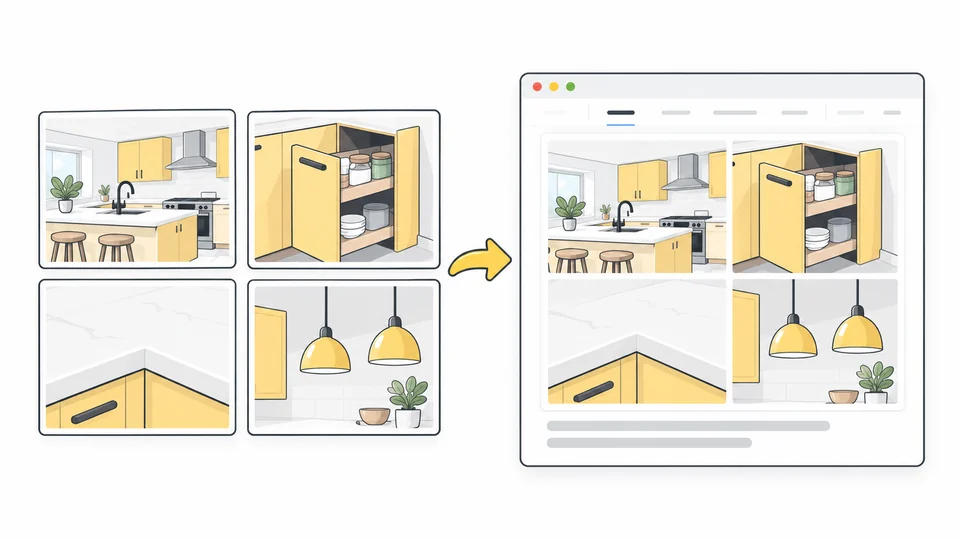
How to Combine Images for Your Website
Combine website images into a clear collage.
Read guide
How to Choose the Right Images for Your Website
Choose images that make each page clearer and more credible, from hero and service images to team photos and blog covers.
Read guide
Best Image Sizes for Websites
Choose image dimensions from your layout, screen density and crop.
Read guideFrequently asked questions
Answers to common questions about this tool, image formats, and privacy.
Which files and dimensions are supported?
Use JPG, PNG or WebP files up to 25 MB each. Input images and the final result are limited to 8,000 pixels per side and 32 million pixels in total. The downloaded result is a PNG copy; your originals are unchanged.
Which layouts can I use?
Choose a row, a column or a grid with your preferred number of columns. For exactly three images, you can place one large image on the left and two smaller images on the right. The first image is the large one; change the order to choose another. A grid fills from left to right, then top to bottom. Unused grid cells keep the selected background.
Will different-sized images be stretched or cropped?
Show the whole image preserves every edge and may leave space around it. Fill the frame crops the image to fill its space without stretching. Select a thumbnail and adjust the horizontal or vertical crop position. Enlarging a small image may make it look soft.
How are the final dimensions and limits calculated?
Width and height set the exact dimensions of the downloaded image. Spacing separates the images; outer margin adds space around the arrangement. Both are included in the final dimensions and leave less room for the pictures. The result must stay within 8,000 px per side and 32 million pixels. The source images together must also stay within 32 million pixels.
Can I change the order or remove an image?
Yes. The arrows below each thumbnail change the order. The remove button takes an image out of the selection. Add images keeps your current pictures, their crop positions and your settings, and places new images at the end. Replace images replaces the whole selection. At least two images must remain to download, and you can combine up to 12. If you add a fourth image to the three-image layout, it switches to a grid.
Why is the download a PNG?
PNG preserves transparency and avoids another round of lossy compression. It can be larger than the original JPG and cannot restore detail already lost. Keep the original and inspect the downloaded copy before using it.
Will my original image be changed?
No. The tool edits a copy in your browser. Download the result as a new file and keep your original.
Are my images uploaded?
No. Processing happens locally in your browser.